

Table of Contents
If you have ever set up a website, you may have come across the term one-click install hosting. It sounds almost too good to be true; the idea that you can install a fully functional content management system, e-commerce platform, or blog in a matter of seconds with a single click. But this feature is very much real, and it has transformed the way millions of people build websites around the world. In this post, we will explore exactly what one-click install means, how it works behind the scenes, and why it has become such a vital feature for modern web hosting providers.
What Is One-Click Install?
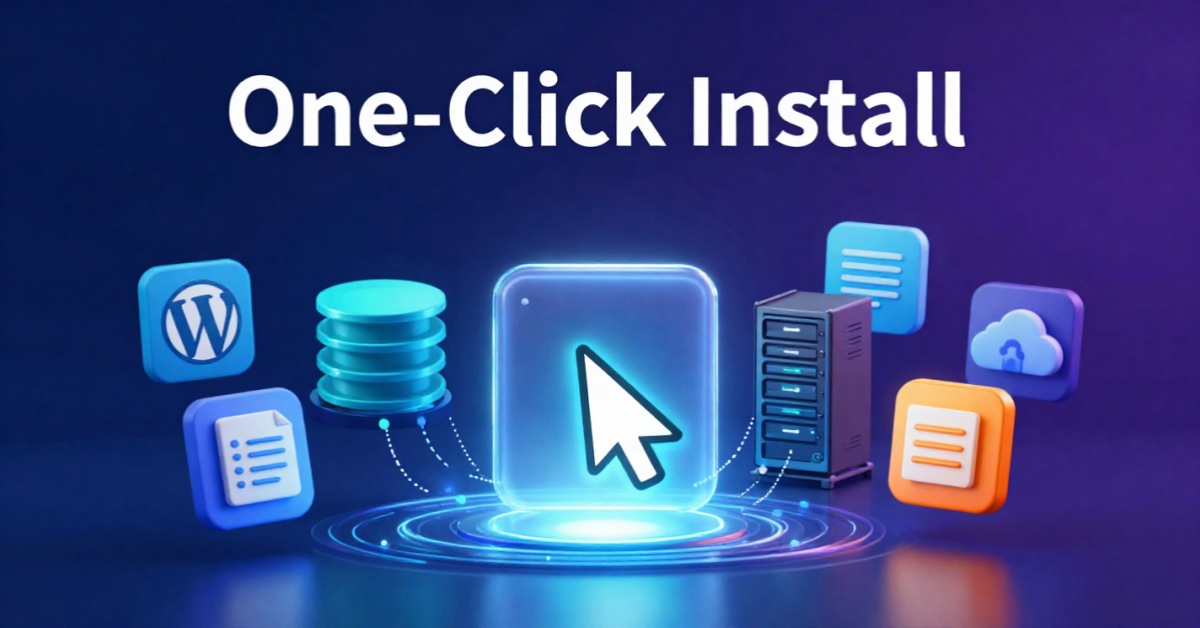
One-click install is a feature offered by many web hosting providers that allows users to install popular web applications, such as WordPress, Joomla, Drupal, Magento, or PrestaShop, without any manual configuration or technical knowledge. Instead of downloading files, uploading them via FTP, creating databases, editing configuration files, and running installation scripts manually, the entire process is automated and completed through a simple interface with minimal input from the user.
The term “one-click” is somewhat of a marketing simplification. In most cases, you will need to fill in a few basic details such as your preferred domain, site title, admin username, and password before clicking the install button. However, the point stands: the process that once took experienced developers anywhere from 20 minutes to an hour can now be completed in under two minutes by someone with no technical background whatsoever.
How Does One-Click Install Work?
To understand how one-click install works, it helps to know what goes into a standard manual installation of a web application like WordPress.
The Traditional Installation Process
Without one-click install, setting up WordPress manually involves several steps:
- Downloading the WordPress package from the official website
- Uploading the files to your server using an FTP client
- Creating a MySQL database and database user through your hosting control panel
- Editing the
wp-config.phpfile with the correct database credentials - Running the WordPress installation script through your browser
- Completing the on-screen setup wizard
Each of these steps requires a certain level of technical understanding. Making a mistake at any stage, such as entering incorrect database credentials, can cause the installation to fail entirely.
How One-Click Install Automates the Process
One-click install tools, most commonly delivered through platforms such as Softaculous, Fantastico, or Installatron, handle all of the above steps automatically. Here is what happens behind the scenes when you click that install button:
- The installer retrieves the application files — The tool holds pre-packaged, up-to-date versions of popular web applications ready to deploy.
- A database is automatically created — The system generates a new MySQL database and assigns a user with the correct permissions, all without you needing to lift a finger.
- Configuration files are populated — The installer writes the correct database name, username, and password into the application’s configuration file automatically.
- Files are uploaded to your server — The application files are placed in the correct directory on your hosting account, whether that is the root folder or a subdirectory.
- The installation script is executed — The tool runs the setup script in the background, completing the installation without requiring any browser-based wizard from the user.
- Admin credentials are saved — Your chosen username and password are stored, and you receive confirmation with a direct link to log in to your new site.
The entire process typically takes between 30 seconds and two minutes, depending on the application and your hosting server’s speed.
Why Is One-Click Install Hosting So Important?
The rise of one-click install hosting has been a genuine game-changer for the web industry. Here is why it matters so much.
It Lowers the Barrier to Entry
Before tools like Softaculous existed, building a website with a CMS required a degree of technical literacy that many small business owners, bloggers, and creatives simply did not have. One-click install removes that barrier entirely, allowing anyone with a hosting account and a domain name to have a professional website up and running within minutes.
It Saves Valuable Time
Even for experienced developers who could handle a manual installation with ease, one-click install saves a significant amount of time. When managing multiple client websites or projects, being able to spin up a fresh WordPress or Magento installation in under two minutes rather than 30 is a substantial productivity gain.
It Reduces the Risk of Human Error
Manual installations are prone to mistakes. A mistyped database password or an incorrectly edited configuration file can cause hours of frustration. Automated installers eliminate this risk by handling all technical configuration programmatically and accurately every time.
It Keeps Applications Up to Date
Many one-click install platforms also offer automatic update notifications or even automated updates for the applications they install. This is particularly important for security, as running outdated versions of WordPress or other CMS platforms is one of the most common causes of website hacks.
What Applications Can Be Installed with One-Click?
The range of applications available through one-click install hosting platforms is genuinely impressive. Most providers offer hundreds of options, including:
- Content Management Systems — WordPress, Joomla, Drupal, TYPO3
- E-commerce Platforms — WooCommerce, Magento, OpenCart, PrestaShop
- Forum Software — phpBB, MyBB, SMF
- Wiki Platforms — MediaWiki, DokuWiki
- Customer Relationship Management — SuiteCRM, SugarCRM
- Learning Management Systems — Moodle
- Website Builders — Concrete CMS, Grav
This variety means that whether you are building a personal blog, an online shop, a community forum, or a corporate website, there is almost certainly a one-click install option available to get you started quickly.
Choosing the Right Hosting Provider for One-Click Install
Not all hosting providers implement one-click install equally well. When choosing a host, it is worth considering which installer platform they use, how frequently their application library is updated, and whether they offer staging environments or backup options alongside the install tool.
For further guidance on selecting the right hosting features for your website, you can explore helpful resources at da-manager.com/blog, where a range of web hosting and website management topics are covered in detail.
Common Misconceptions About One-Click Install
It Does Not Mean Your Site Is Fully Ready
One-click install gets your application installed and running, but it does not build your website for you. You will still need to choose a theme, add content, configure plugins or extensions, and customise the site to suit your brand and goals.
It Is Not Exclusive to Beginners
Many professional developers and agencies use one-click install tools regularly because of the time they save. There is no shame in using automation to handle repetitive technical tasks, it is simply good practice.
Final Thoughts
One-click install hosting has fundamentally changed the accessibility of website creation. By automating the technical complexity of installing web applications, it empowers everyone, from complete beginners to seasoned professionals, to launch websites quickly, confidently, and without unnecessary friction. When choosing a hosting provider, ensuring they offer a robust and up-to-date one-click install platform should be high on your list of priorities. It is one of those features that, once you have used it, you will wonder how you ever managed without it.




