

Table of Contents
A reverse proxy is a server or service that receives web requests before they reach one or more application servers. It can route requests to the right backend and, when configured to do so, provide functions such as load balancing, TLS handling, caching, or request filtering. Reverse proxies are used in many hosting setups, from a single application behind Nginx to cloud services that sit in front of a website.
The benefits depend on the reverse proxy product and its configuration. A proxy does not automatically balance traffic, block attacks, cache every page, or keep an origin server undiscoverable. This guide explains how the request flow works, what common uses can provide, and what to consider when choosing a reverse proxy for hosting.
What is a proxy server?
A proxy is an intermediary that handles requests between a client and another server. The term describes where the intermediary sits in the communication path and which side it represents.
Forward proxy vs. reverse proxy
A forward proxy acts for clients. A device or network sends its outbound requests through the proxy, which then contacts websites on the client’s behalf. Businesses may use forward proxies to apply network policies or filter outbound traffic.
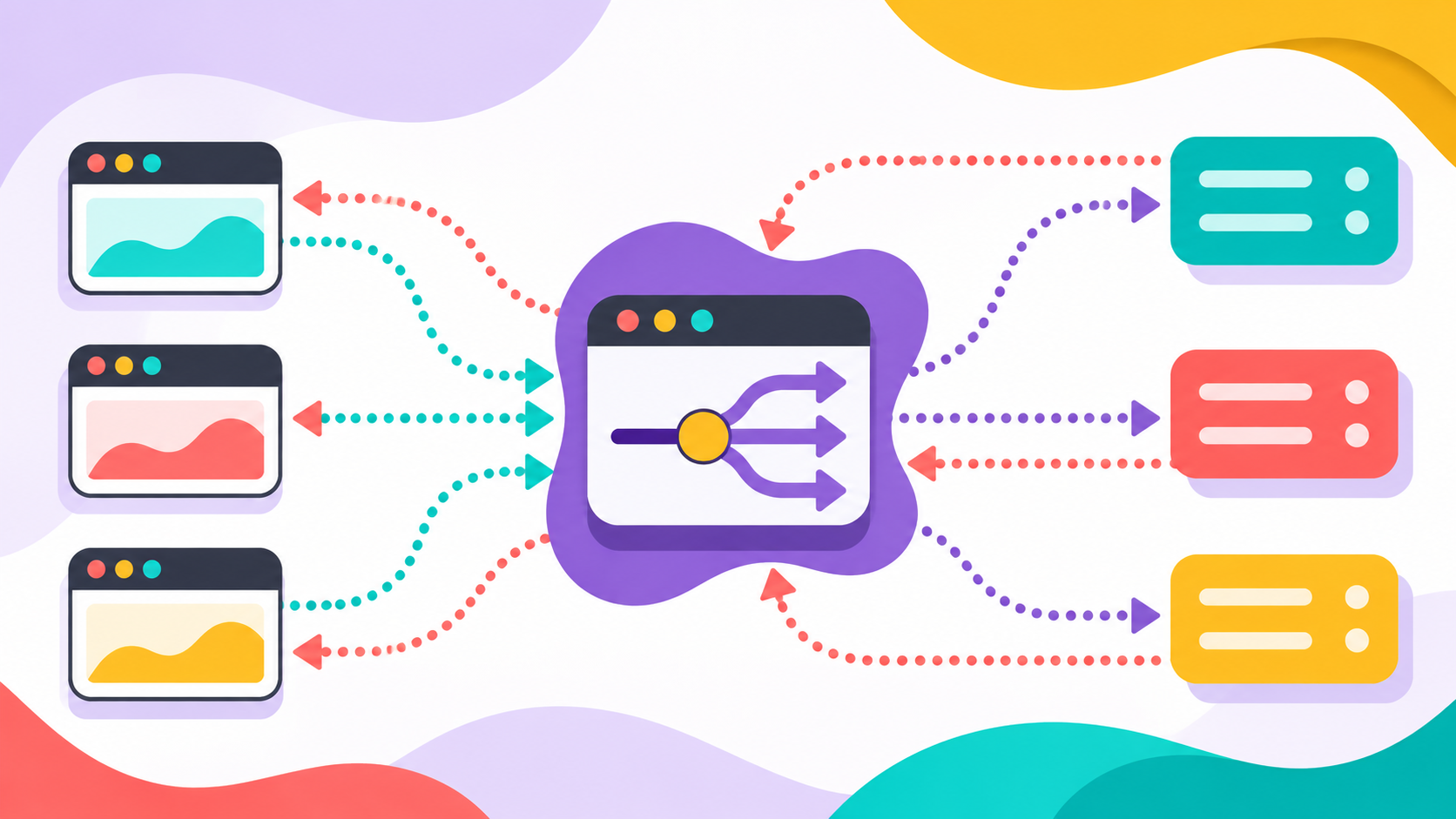
A reverse proxy acts in front of servers. A visitor connects to the public-facing proxy, which selects or forwards the request to an application server behind it. The application server is often called the origin or backend. To the visitor, the site is reached through its normal domain; the proxy’s presence is usually transparent.
| Proxy type | Typically placed in front of | Common purpose |
|---|---|---|
| Forward proxy | Clients or an organisation’s network | Control, filter, or route outbound requests |
| Reverse proxy | Web or application servers | Receive inbound requests and route them to backends |
How does a reverse proxy work?
A common web request follows these steps:
- A visitor opens a domain in a browser.
- DNS directs the domain to the public endpoint, which may be a reverse proxy or a proxy service.
- The proxy receives the HTTP or HTTPS request and applies its configured rules.
- It forwards the request to the selected backend, such as an application server or container.
- The backend processes the request and returns a response to the proxy.
- The proxy may apply configured response handling, then sends the response to the visitor.
The proxy can route traffic based on information such as the requested hostname, path, or configured backend group. Apache’s ProxyPass directive, for example, maps a local URL path to a remote server. Read the Apache reverse proxy guide.
A reverse proxy can make the backend less directly visible, but it does not guarantee that the origin is hidden. Direct DNS records, old DNS history, exposed services, or an origin that still accepts public traffic can reveal or bypass it. Restricting origin access and reviewing DNS are part of a secure deployment.
Common uses of a reverse proxy in hosting
Routing requests to applications
A proxy can send requests for different hostnames or URL paths to different backends. For example, one domain might route to a website while a separate subdomain routes to an API or an internal application. This lets several services share a public entry point while remaining separate behind it.
Load balancing
A load balancer can distribute incoming requests across multiple backend servers. A reverse proxy can provide this function when its product and configuration support it. The balancing method may be round-robin, least connections, weighted, or another supported strategy.
Failover is not automatic for every proxy. It depends on how backend health is detected and what happens when a backend stops responding. NGINX documents passive health checks and configurable upstream selection behavior in its load balancing documentation. If availability matters, confirm which health checks and failover behavior your chosen service provides, and test how the application behaves when a backend is unavailable.
Security filtering and origin protection
Placing a proxy at the public edge can provide a point to apply access rules, rate limits, or request filtering. Some managed proxy services also offer a web application firewall (WAF) or DDoS mitigation. These capabilities are product-specific and may require separate configuration or a paid plan. A basic reverse proxy alone is not a WAF and does not guarantee protection against denial-of-service attacks.
To reduce direct access to an origin server, configure its firewall or network rules to accept web traffic only from the proxy where feasible. Also review DNS records and ensure administrative or alternate service ports are not unintentionally exposed. Cloudflare notes that an origin IP can still be discovered even when traffic is proxied, so proxying alone should not be treated as complete origin protection. See Cloudflare’s guidance on exposed IP addresses.
For a closer look at request filtering, see our guide to what a web application firewall does.
TLS termination and HTTPS between servers
Many people still call this “SSL termination,” although modern secure web connections use TLS. In a common setup, the proxy handles the visitor’s HTTPS connection and decrypts requests before passing them to the backend. This can centralise certificate management and reduce repeated configuration across application servers.
The connection from proxy to backend is a separate security decision. It can use HTTPS as well, which is especially important when traffic crosses an untrusted network or leaves the same machine. Avoid assuming that an encrypted visitor-to-proxy connection also encrypts the proxy-to-backend leg. Keep certificates, hostnames, and redirect behavior aligned across both legs.
Caching responses
A reverse proxy may serve a stored response instead of contacting the backend on every request. This can reduce repeated work for cacheable content such as public images, stylesheets, or pages that do not change for each visitor. Caching is not always enabled by default, and the application or proxy must be configured to decide which responses can be stored.
Personalised pages, account areas, shopping carts, and responses containing private data need careful cache rules. A misconfigured cache can show one visitor another visitor’s content. Test cache behavior with authenticated and anonymous sessions before enabling it broadly.
Compression and response handling
Some proxies can compress eligible responses, reducing the amount of data sent to browsers. The proxy may also add or adjust headers, handle redirects, or apply connection limits. These features depend on the proxy and configuration. Compression can reduce transfer size, but it is not a substitute for optimising large images, scripts, or application behavior.
Logging and monitoring
Because requests pass through the proxy, its logs can provide a useful record of client requests, response codes, and backend timing when those fields are configured. This can help diagnose routing failures or compare proxy and application behavior.
Proxy logs are only one part of troubleshooting. Keep relevant application and backend logs as well, and ensure timestamps are aligned. Protect logs because they may contain IP addresses, URL paths, or other sensitive information, and set a retention period that meets your operational and privacy needs.
Popular reverse proxy options
- Nginx: A web server that can proxy requests and, with configuration, distribute traffic across upstream servers. See the official proxy module documentation.
- Apache HTTP Server: Supports reverse proxying through modules such as
mod_proxy. The required modules and rules must be configured for the intended setup. - HAProxy: A proxy and load-balancing solution commonly used for routing application traffic.
- Traefik: A proxy designed for dynamic service environments, including container platforms.
- Cloudflare: A managed edge service that can proxy supported web traffic and provide additional features depending on configuration and plan.
These options are not interchangeable in every environment. Compare supported protocols, routing needs, certificate handling, health checks, logging, operational complexity, and the level of server access you have.
Reverse proxies in cloud and container environments
In a containerised deployment, application instances may be created, removed, or replaced as the service changes. A proxy or ingress component can route requests to the currently available services using the platform’s configuration and service discovery. This is useful when an application has several components, but it adds another layer to configure and monitor.
For production use, plan how the proxy learns backend addresses, how configuration changes are deployed, how certificates are renewed, and what the visitor sees if a service is unhealthy. Test routing and failure behavior in a staging environment before applying changes to a live site.
When is a reverse proxy the right choice?
A reverse proxy can be useful when you need to route traffic to multiple applications, centralise HTTPS handling, apply edge rules, or distribute requests across backends. A small website hosted on a managed shared plan may not need to install or operate a separate proxy. The host may already provide a proxy layer, or the extra component may add complexity without solving a current problem.
Before choosing a setup, ask:
- What problem are you solving: routing, capacity, TLS management, caching, filtering, or another need?
- Does your host already provide the relevant proxy feature?
- Do you have permission and access to configure the proxy and backend firewall?
- How will you test health checks, redirects, application headers, and cache behavior?
- Who will update the software, renew certificates, monitor logs, and respond to failures?
Self-hosting a reverse proxy
If you want to install and configure a proxy such as Nginx yourself, you generally need an environment where you control the web server and network rules. A virtual private server can provide root access for this kind of custom configuration, but you are also responsible for securing and maintaining the proxy unless the service includes management support.

Use a virtual server when you need control over proxy software, routing rules, and the surrounding environment. Check the plan’s access and management details before deployment.
Practical checks before putting a proxy into production
- Confirm which service is the public endpoint and which addresses belong to the backend.
- Restrict direct access to the origin where practical, and review DNS for records that could expose it.
- Decide whether TLS is required between the proxy and backend, not just between the visitor and proxy.
- Configure and test health checks if the proxy is expected to remove unhealthy backends.
- Set cache rules that exclude private or personalised responses unless they are specifically designed to be cached safely.
- Configure trusted proxy headers carefully so the application records the correct client address. Do not trust client-supplied forwarding headers from arbitrary sources.
- Test redirects, uploads, WebSockets, login flows, and large requests if your application uses them.
- Keep proxy and backend logs, align their timestamps, and document how to roll back a change.
Final thoughts
A reverse proxy is an intermediary for inbound requests to web applications. Depending on the software or managed service and how it is configured, it can route traffic, balance requests, handle TLS, cache eligible responses, apply filtering rules, and provide a useful log point.
Those benefits are not automatic. Load balancing, failover, WAF protection, caching, and origin concealment each require the right features and configuration. Choose a proxy based on a specific need, protect the backend appropriately, and test the full request path before relying on it in production.
For related guidance, read how to set up Nginx on a VPS and how to use Cloudflare with web hosting.